As an Amazon Associate, we earn from qualifying purchases. Some links on this site are affiliate links at no extra cost to you. Our recommendations are based on thorough research and editorial judgment.


Charging Safely in Hotels and Airports: Avoiding Counterfeits

Charging devices at public USB stations in hotels and airports poses significant risks, including malware attacks and identity theft. Cybercriminals can exploit these outlets through juice jacking, accessing sensitive data. To stay secure, travelers should use personal chargers or portable power banks instead of public ports. USB data blockers are helpful, allowing only power transmission. For extra protection, keep software updated and inspect cables for tampering. Understanding these practices can guarantee travelers minimize risks while charging. Additional tips await exploration.
Key Takeaways
- Always use personal chargers or portable power banks instead of public charging stations found in hotels and airports.
- Avoid public USB charging ports to reduce the risk of malware and juice jacking attacks.
- Regularly inspect charging cables for signs of tampering or counterfeit alterations before use.
- Consider using a USB data blocker to prevent unauthorized data access while charging in unfamiliar locations.
- Keep your device software up to date to protect against vulnerabilities, especially when using shared charging options.
The Risks of Public USB Charging Stations
You may be interested


Public USB charging stations, frequently located in airports and hotels, present numerous risks that travelers should carefully consider. Cybercriminals exploit these public ports, using juice jacking techniques to inject malware into devices while charging. This method allows attackers to access personal data, potentially leading to identity theft. Reports reveal a 52% rise in USB malware threats, underscoring the urgency for caution. Experts recommend avoiding public USB charging stations altogether, instead opting for power outlets whenever possible. Carrying portable chargers is another smart strategy. Additionally, using a USB data blocker can guarantee that only power transfers, preventing unauthorized data access. By following these precautionary measures, travelers can remarkably reduce their risk of data theft. Investing in surge protectors with high joule ratings can further safeguard your devices against unexpected power surges while charging.
Recommended Products

3000VA/2700W Smart App Sinewave Battery Backup Uninterruptible Power Supply (UPS) System designed to support Active PFC and conventional power supplies. SNMP/HTTP remote monitoring available with optional RMCARD205 (sold separately)

AMD Ryzen 7 7735HS Business Laptop: High-performance 8-core 16-thread processor, 3.2GHz base up to 4.75GHz boost, 4MB L2 and 16MB L3 cache delivers exceptional power for demanding business applications, multitasking, data analysis, content creation, virtualization. AMD Radeon 680M integrated graphics handles business applications, video conferencing, presentations, multimedia, light creative work efficiently. Perfect for professionals, developers, power users.

6.7inch Super Retina XDR display. Aluminum with color-infused glass back. Ring/Silent switch
Understanding Juice Jacking and Its Implications

How can travelers protect their devices from potential threats while charging in public spaces? Juice jacking, a cyberattack prevalent in airports and hotels, occurs when devices use compromised public USB ports that allow malware to infiltrate. This malicious access can result in unauthorized access to sensitive information, such as personal data, login credentials, and banking details, which remain vulnerable even after disconnecting. To mitigate these risks, it is recommended to use personal chargers whenever possible, opting for wall outlets instead of public USB ports. Additionally, incorporating a USB data blocker guarantees that only power is transferred during charging sessions. By being vigilant with these practices, travelers can greatly enhance their ability to charge safely while safeguarding their personal and sensitive data. Furthermore, using a travel adapter with high surge protection ratings can provide an additional layer of safety against electrical spikes while charging.
Identifying Secure Charging Practices

Numerous secure charging practices can help travelers protect their devices while on the go. Travelers should avoid public USB charging stations, as they pose risks for juice jacking, where malware can infiltrate devices through compromised ports. Instead, utilizing wall outlets with a personal charger or a portable power bank is a safer option for secure device charging. When necessary to use public charging points, USB data blockers are recommended, ensuring only power transfers without unauthorized data access. Regular inspections of charging cables and ports for signs of tampering are vital, particularly for items left in public spaces. Additionally, keeping software updated helps defend against vulnerabilities that may be exploited during charging sessions in public locations. Moreover, using a power bank equipped with safety features can further enhance security during charging.
Recommended Products

240W Super-Fast Charging & Reliable Data Transfer: ChubbyCable USB C Cable delivers up to 240W ultra-fast charging depending on charger and device compatibility, while USB-A to USB-C variants support up to 120W depending on compatibility. Enjoy stable 480Mbps data transfer and reliable CarPlay & Android Auto connectivity for seamless charging and syncing in everyday use
Charges and transfers files, Let you charge or transfer files from tablets, smartphones and more.

The information below is per-pack only
Protecting Your Device From Malware

As travelers prioritize secure charging practices, understanding how to protect devices from malware becomes increasingly crucial. Juice jacking is a significant risk at public charging stations in airports and hotels, where attackers may introduce malware via compromised USB ports. This malware can access personal information and install harmful software on devices. To stay safe, travelers should avoid using public USB ports entirely and, instead, carry a portable charger and USB cords for charging. Additionally, employing a USB data blocker can guarantee that only power is transmitted while using public charging stations. Regularly updating device software is essential to patch known vulnerabilities and further protect personal data from potential malware and monitoring software threats encountered during travel. Using a surge protector with high Joule ratings can also help safeguard devices from unexpected power spikes during charging.
Recommended Products
![chubbycable USB C Cables 2 Pack [3.3ft + 6.6ft], 240W Fast Charging Cable Soft Silicone C to C Charger Cord Compatible with iPhone 17-15 Series, MacBook, Samsung, iPad, Orange, Type-C to Type-C](https://m.media-amazon.com/images/I/41b22RTRtdL._SL500_.jpg)
2-Pack Combo – 3.3ft & 6.6ft for Home, Office & Travel: Includes two Type-C to Type-C cables in convenient lengths – one 3.3ft short cable for portable charging and one 6.6ft long cable for extended use on sofas, beds, or desks. Perfect for users needing USB C charger cords for flexible setups at home or on the go

2-in-1 Design-One Cable for All: A true 2-in-1 usb cable with USB-A to USB-C and USB-C to USB-C in one. No more multiple cords. Travel, office, home, or car-one cable covers charging, data transfer, and video output for phones, laptops, docks, monitors, SSDs, and more.

90° ELBOW DESIGN FOR COMFORTABLE EVERYDAY USE: This elbow fast charging cable features an ergonomic 90-degree right-angle connector that keeps the cable out of the way for more comfortable gaming, streaming, and charging. Designed for tight spaces, it also helps reduce port stress for longer-lasting device protection
Best Tools for Safe Charging on the Go

Effective tools for safe charging on the go are essential for modern travelers who frequently rely on their electronic devices. Personal chargers and portable power banks offer safer alternatives to public USB ports, which often pose significant security risks. Power banks, particularly those from reputable brands, allow charging without data transfer, minimizing exposure to cyber threats. Additionally, USB data blockers can be employed to guarantee only power transfers occur, effectively preventing malware installation and unauthorized access. Regular software updates further fortify devices against potential attacks. Charging stations are convenient, but they should always be approached with caution. Overall, utilizing these tools enhances safe charging experiences while on the move, safeguarding personal information and guaranteeing device reliability. Investing in multi-port car chargers ensures that you can charge multiple devices securely while traveling.
Recommended Products

1000VA/900W Smart App Online Sinewave Uninterruptible Power Supply (UPS): Uses sine wave output to provide battery backup power for Active PFC power supplies; Safeguards server rooms, core network equipment, storage systems, and VoIP infrastructure

Waterproof with IP68 rating: Fully submersible up to 10ft (3 meters). Thanks to this feature, you can also use this product as an underwater metal detector.
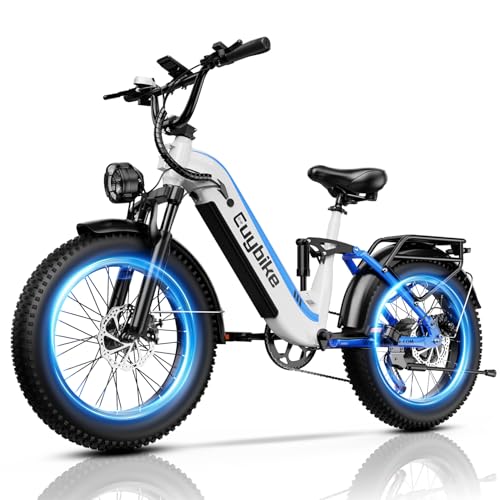
🔋【48V 20AH Long-range Removable Battery】The electric bicycle comes with 960WH large capacity removable battery, powers up to 80 miles per charge (up to 50–80 miles in pure pedal assist mode), features waterproof & UL 2849-Certified, can be conveniently charged in just 6-8 hours, whether you're at home or in the office.
Recommendations for Secure Internet Use at Airports
Although public Wi-Fi networks at airports offer convenient access, they often lack essential security measures, putting users at risk of data interception. Travelers should avoid accessing sensitive accounts, including bank applications, over public Wi-Fi due to increased risks of identity theft and bank fraud. To enhance secure internet use, utilizing a VPN can encrypt data, offering a vital layer of protection against unauthorized access. Additionally, users must be vigilant against phishing attacks, as cybercriminals may create fake Wi-Fi networks resembling legitimate connections, leading to the compromise of personal information. Regularly monitoring bank and credit activity is essential for quickly detecting any unauthorized transactions or breaches when using these public networks to safeguard against financial losses. Furthermore, it’s wise to use devices with smart surge protectors to shield against potential electrical surges when charging in public spaces.
Recommended Products

Secure Remote Work for Two : Includes two travel routers, so a colleague or family member can also connect remotely.
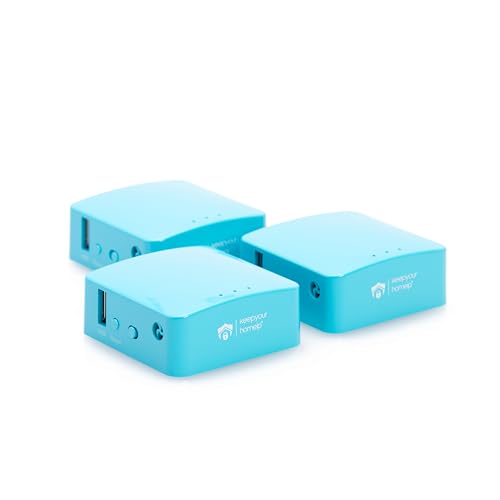
Secure Remote Work for Two : Includes two travel routers, so a colleague or family member can also connect remotely.

Unrivaled WiFi 7 speeds up to 17 Gbps for real-time gaming, 4K/8K streaming, UHD video conferencing, and AR/VR entertainment with easy setup using the Nighthawk App
Additional Resources for Traveler Cybersecurity
A variety of resources are available for enhancing traveler cybersecurity, which can greatly reduce the likelihood of data theft and malware infections. Travelers should avoid public USB ports, as they can be hotspots for cyber threats like juice jacking. Instead, carrying personal chargers and a reliable charging cable is advisable. Portable power banks allow travelers to charge devices without needing public outlets. Additionally, USB data blockers can be invaluable, enabling safe charging while preventing unauthorized data transfer. Regularly monitoring bank activity is essential, as it helps detect any unauthorized transactions quickly. By utilizing these resources, travelers can considerably mitigate the risks associated with malware infections and protect their sensitive information during their journeys. Using wireless car chargers offers a convenient way to charge devices safely while on the go.
Frequently Asked Questions
Is It Safe to Use Charging Ports at Airports?
Using airport charging ports poses significant risks; experts recommend portable chargers for device security. Prioritizing power bank safety, adhering to charging etiquette, and ensuring voltage compatibility can mitigate tech theft and enhance smartphone protection against vulnerabilities.
Are USB Chargers in Hotels Safe?
USB chargers in hotels are not always safe. Travelers should prioritize hotel charger safety, avoid counterfeit chargers, and implement hotel room precautions. Using personal chargers from reliable brands enhances device compatibility and minimizes power surge risks. Consumer awareness is essential.
Is Wireless Charging at the Airport Safe?
When it comes to wireless charging at the airport, convenience often trumps security, despite potential charging pad risks. Travelers should prioritize wireless safety measures, keeping device compatibility issues and power surge protection in mind to avoid long-term effects.
Is Safe to Use Public USB Charging Stations in Places Like Airports or Restaurants?
Using public charging stations is not safe due to significant power port risks, malware threats, and USB safety concerns. Travel tips advocate for personal chargers and tech precautions to enhance device security and guarantee battery protection.


