As an Amazon Associate, we earn from qualifying purchases. Some links on this site are affiliate links at no extra cost to you. Our recommendations are based on thorough research and editorial judgment.


Under‑Desk Cable Trays: Mounting Tips and Load Considerations

Under-desk cable trays are essential for organization and safety, with a typical weight capacity of 5 to 10 pounds. Proper installation methods, like screw-in or clamps, depend on desk material to prevent sagging or detachment. Trays should be positioned near the back edge for accessibility, elevated off the floor to reduce dust. Corresponding slack in cables is important for accommodating standing desk adjustments. Regular inspections guarantee functionality, identifying wear and maintaining safety. Further insights into enhancing your setup await exploration.
Key Takeaways
- Ensure proper mounting methods (screw-in, clamp, adhesive) based on desk material to support 5-10 pound weight limit safely.
- Position trays close to the back edge of the desk for better cable access while minimizing aesthetic distractions.
- Organize cables by type and function to reduce tangling and adhere to the load capacity for optimal performance.
- Regularly inspect and maintain trays every three to four months for cable wear and dust accumulation to ensure safety.
- Leave slack in cables to accommodate standing desk height adjustments while preventing strain on both cables and trays.
Importance of Proper Installation
You may be interested


When considering the installation of under-desk cable trays, it is essential to prioritize proper methods to guarantee ideal functionality and safety. Proper installation guarantees that the trays can securely support the weight of cables and power strips, typically between 5 to 10 pounds. If installed incorrectly, safety hazards may arise, including sagging or detachment, leading to tripping risks and equipment failures. Selecting the appropriate mounting method—whether screw-in, clamp, or adhesive—is critical for compatibility with the desk material and intended permanence. For standing desks, effective cable management is important to accommodate adjustable heights, preventing unnecessary wear and tear. Regular maintenance checks are necessary to confirm secure mounting and address dust accumulation that could obstruct airflow. Additionally, using durable materials in cable management solutions can enhance overall safety and longevity.
Assessing Weight and Load Capacity
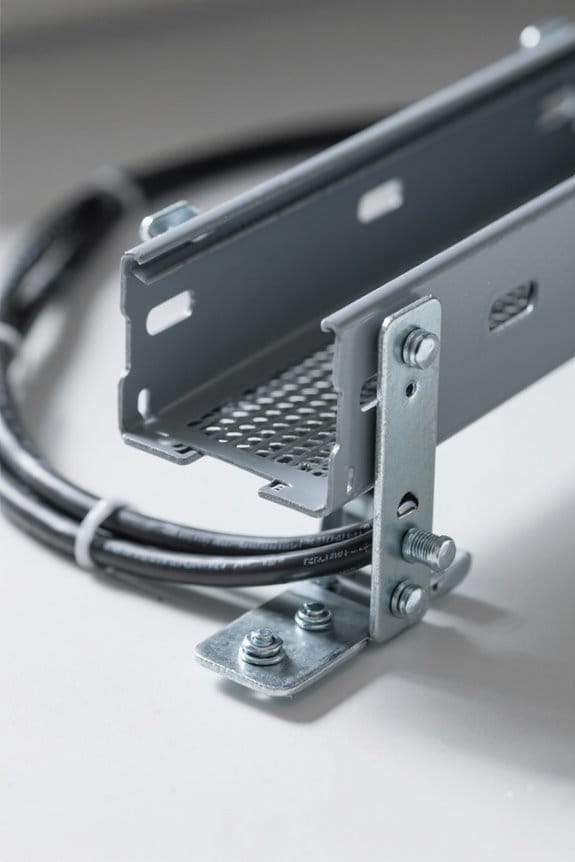
Evaluating weight and load capacity is a fundamental step in selecting an appropriate under-desk cable tray. Most trays support a weight capacity of 5-10 pounds, so it’s important to check the manufacturer’s specifications before purchase. Metal wire trays typically have higher load limits than plastic options, making them better suited for heavier power strips and multiple mounted cables. Additionally, guaranteeing some slack in cables can prevent strain, safeguarding both the cables and the tray. Regular inspection for wear and tear is crucial, as deterioration can compromise the overall load capacity and safety of the cable management system. Assess the total weight of all housed items to verify compliance with the maximum load limit for peak performance. Furthermore, it is advisable to consider the surge protection rating of any power strips used within the tray to ensure optimal safety and performance.
Choosing the Right Mounting Location
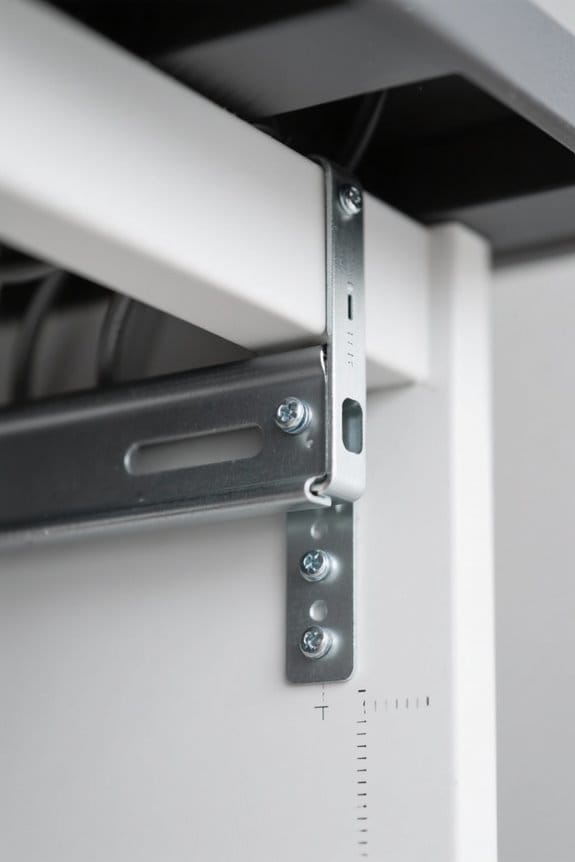
Selecting the ideal mounting location for an under-desk cable tray greatly impacts both functionality and aesthetics. Positioning the tray closer to the back edge of the desk keeps cables out of sight while allowing easy access for plugging and unplugging devices. It is advisable to install cable trays above floor level to reduce dust accumulation and improve airflow around cables. When selecting a mounting location, verify that it does not interfere with adjustable heights in standing desks, allowing for sufficient slack in cables for movement. Additionally, consider the weight capacity of the tray, which typically supports 5-10 pounds; therefore, confirm the location can adequately handle this load. Precision is key to avoid potential cable snags when installing cable trays. Moreover, ensuring compatibility with different desk materials can enhance the stability and effectiveness of your cable management solution.
Tips for Even Cable Distribution
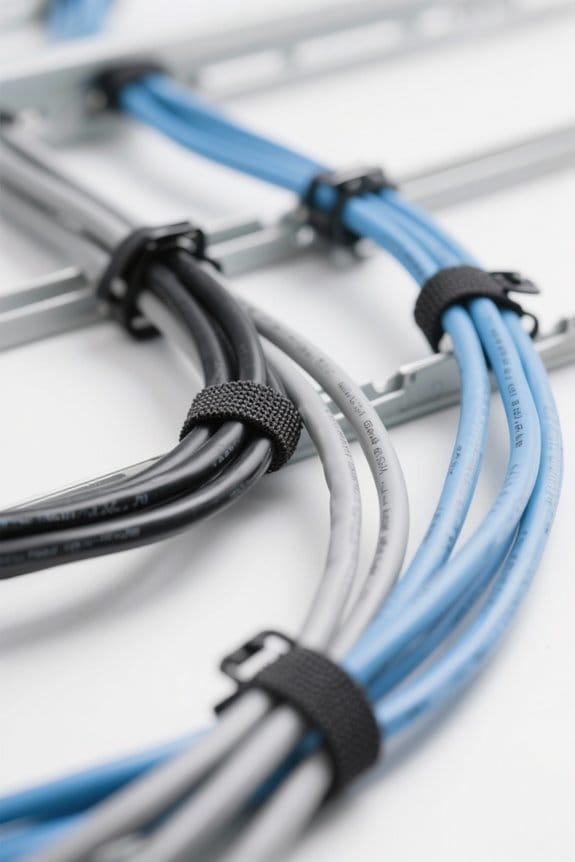
Cable management within under-desk trays often requires careful planning to achieve an organized and efficient setup. To guarantee even cable distribution, it is advisable to categorize cables by type and function, enhancing cable organization and minimizing tangling. Adhering to a weight limit of 5-10 pounds is essential, supporting the load capacity of the trays while preventing sagging. Utilizing multiple mounting points can help evenly align heavier cables and distribute weight responsibly. It is also important to leave sufficient slack in cables to accommodate adjustments for standing desks, which protects them during height changes. Regular inspections guarantee cables remain easily accessible and evenly distributed, contributing to ongoing peak performance and ensuring safety in the workspace. Additionally, ensuring proper surface compatibility can significantly improve the effectiveness of cable management solutions.
Regular Maintenance and Safety Checks
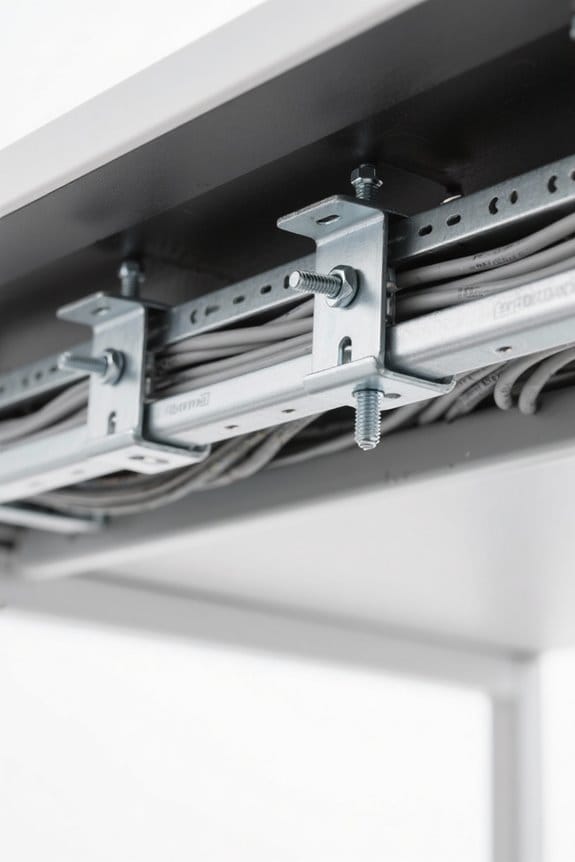
To maintain an organized workspace and guarantee safety, regular maintenance and safety checks for under-desk cable trays are essential. These trays typically support a load capacity of 5-10 pounds; exceeding this can lead to strain and potential failure. Maintenance should occur every three to four months, focusing on cable wear to identify frayed or damaged cables that create safety hazards. Additionally, addressing dust accumulation is crucial, as it can obstruct airflow to power strips, harming device performance. Labeling cables near plugs aids quick identification during inspections, minimizing downtime. For adjustable desks, ensuring that cables have adequate slack prevents strain during height adjustments and potential disconnections, enhancing overall cable management and workspace efficiency. Regular checks are vital for ensuring compliance with safety standards, which can help prevent electrical hazards.
Frequently Asked Questions
What Are the Load Capacity Considerations for Cable Trays?
Load capacity considerations for cable trays include evaluating cable tray materials for strength, adhering to weight limit guidelines, employing load distribution strategies, ensuring safety compliance standards, and planning for future expansion while integrating aesthetic solutions in installations.
How to Mount Cables Under a Desk?
Mounting cables under a desk can transform cable organization. Ideal desk layout improves workspace aesthetics and ergonomic design, while DIY cable solutions enhance productivity. Proper cable management products contribute to minimizing clutter and creating efficient desk setups, essential for home offices.
How Much Weight Can a Cable Tray Support?
A cable tray typically supports 5 to 10 pounds, influenced by cable tray materials, installation techniques, weight distribution, and design flexibility. Adhering to safety standards and regular maintenance guarantees ideal performance, user ergonomics, and aesthetic choices.
What Is the NEC Code for Cable Tray Supports?
What guidelines guarantee the safety of cable trays? NEC compliance requirements specify cable support regulations, installation measurements, tray material types, and attachment methods, emphasizing load distribution strategies and maintenance tips for peak safety and performance.


